Free tool
Projx Diff
Compare any two versions of a DriveWorks™ project and get a single, shareable HTML report of everything that changed — variables, rules, forms, calculation and lookup tables, macros, documents, and navigation — with inline formula diffs, search, and filters. Free, runs entirely on your machine, no Python required.
Runs locally on your machine. Your .driveprojx files never leave your computer.
See a sample report → · All releases & changelog → · Open source (MIT) on GitHub →
What it does
Point it at two DriveWorks™ projects (.driveprojx files or folders) and it produces one self-contained HTML report you can open in any browser, search, filter by change status, and email or drop on a share.
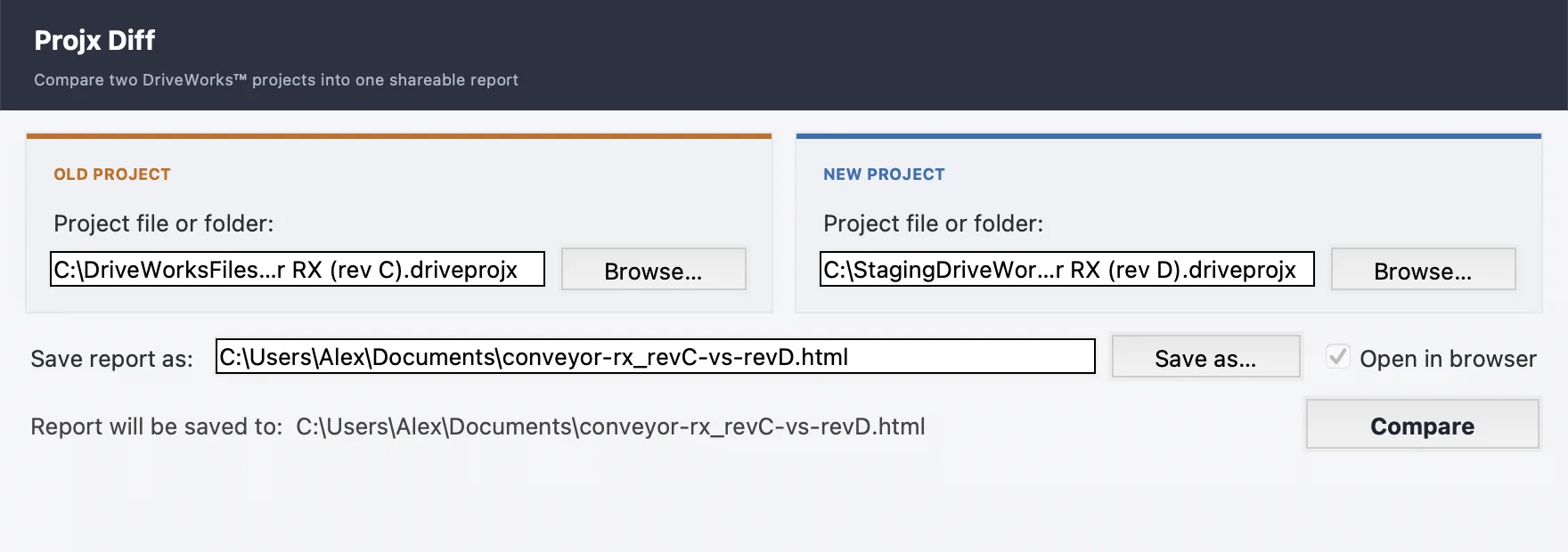
Two picks and a click — and the report opens in your browser:
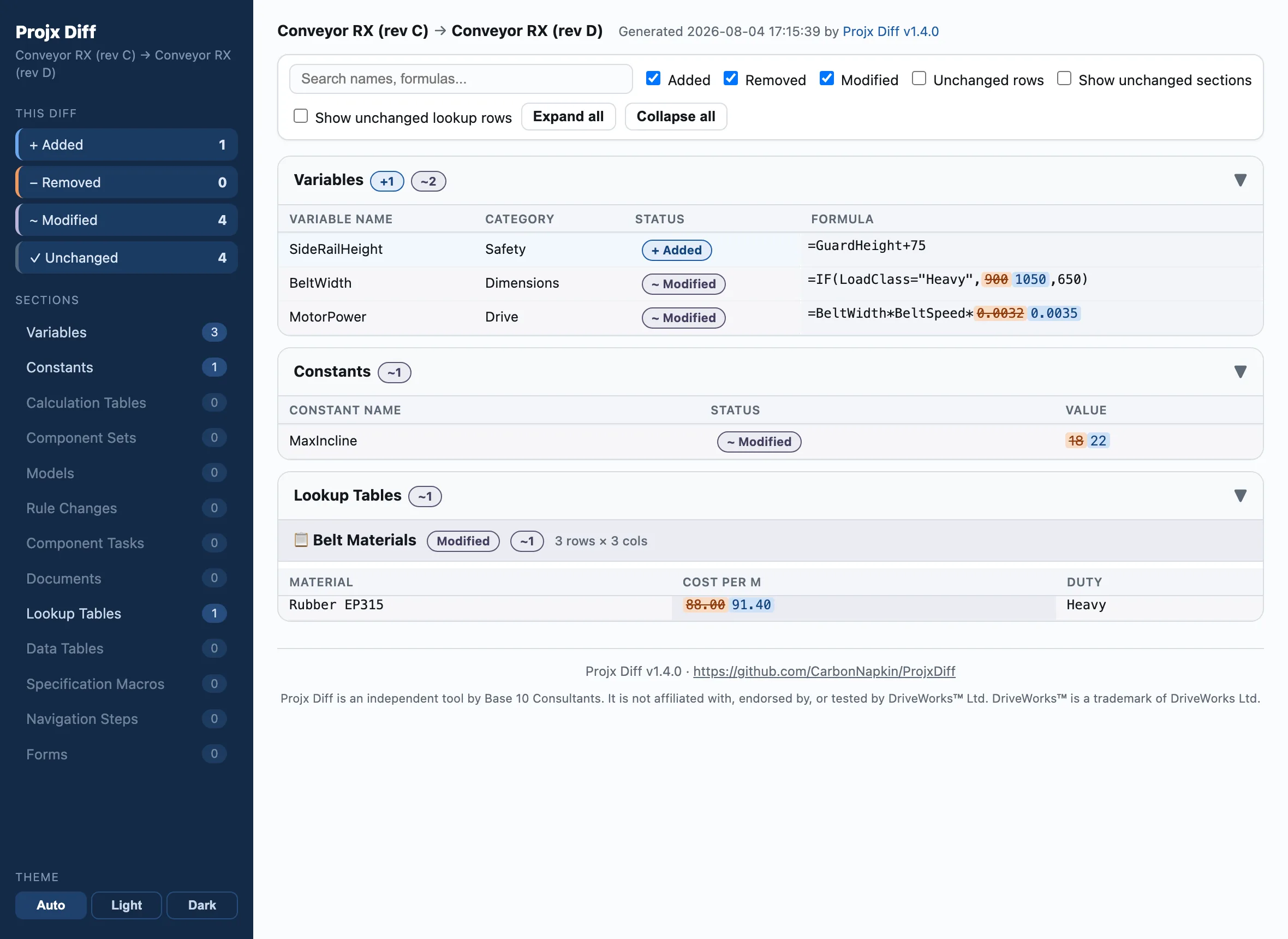
Sections covered:
- Variables (with resolved category names)
- Constants & Special Variables
- Calculation Tables (row-level rules)
- Lookup Tables (cell-highlighted grids)
- Data Tables
- Component Tasks
- Documents
- Specification Macros
- Navigation Steps
- Forms (form rules + per-control formulas)
A redesigned report, in light and dark
Diff totals and a per-section navigator with live change counts sit in a left sidebar, so even a large diff reads at a glance. Auto/Light/Dark themes follow your OS or your explicit choice. Status colors are colorblind-safe by design, and every change is labeled — never color alone. Captured model and model-rule changes now appear in the report too.
Track your whole project library, automatically
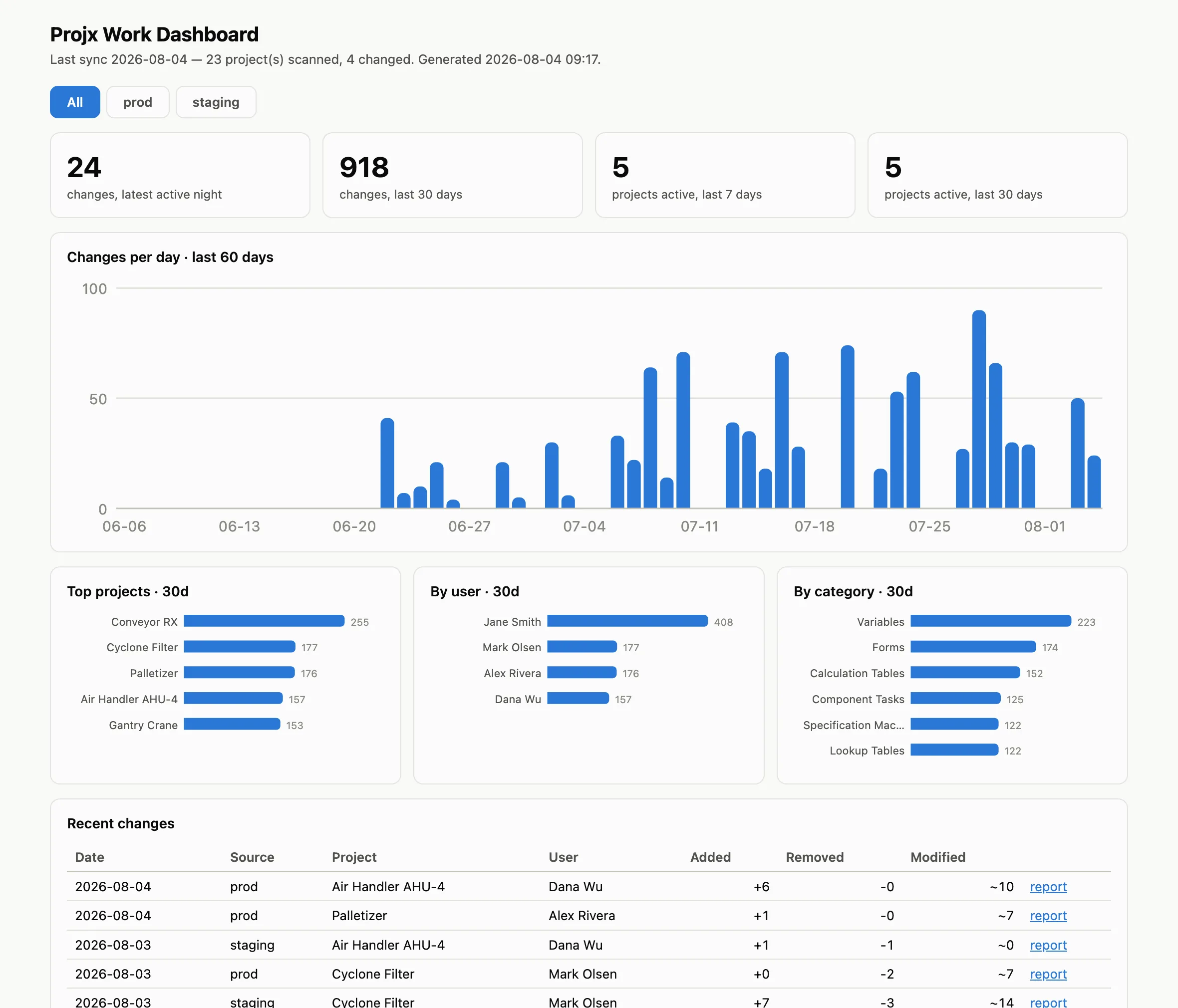
Point Projx Diff at your project shares and it archives every project nightly into version control, detects what changed, and builds a team dashboard — activity trends, most-active projects, and per-user contribution, attributed automatically to whoever last saved each project in DriveWorks™. Every kind of change counts, down to the individual model rules driving your captured components. Multiple locations (production, staging, satellite offices) roll into one dashboard with per-location views, while their histories stay safely separated. New projects and unfamiliar user names are flagged for one-click triage right in the app. Scriptable JSON output feeds Power BI or your own reporting.
Installing
Every download is self-contained (no Python needed). On Windows, the installer is the easiest path: Start Menu entry, optional desktop shortcut, clean uninstall, and upgrades replace the old version in place. The apps are not code-signed, so your OS will warn on first launch:
Windows: if SmartScreen shows "Windows protected your PC", click More info → Run anyway.
macOS: unzip, then right-click the unzipped app → Open → Open. (Or System Settings → Privacy & Security → Open Anyway.)
Linux: chmod +x ProjxDiff-linux, then run it from the terminal — ideal for running the nightly sync on a server with no Python installed.
Need a hand with a bigger DriveWorks™ project?
Let's talkProjx Diff is an independent tool from Base 10 Consultants. It is not affiliated with, endorsed by, or tested by DriveWorks™ Ltd. DriveWorks™ is a trademark of DriveWorks Ltd, used here only to describe the project files that Projx Diff reads.